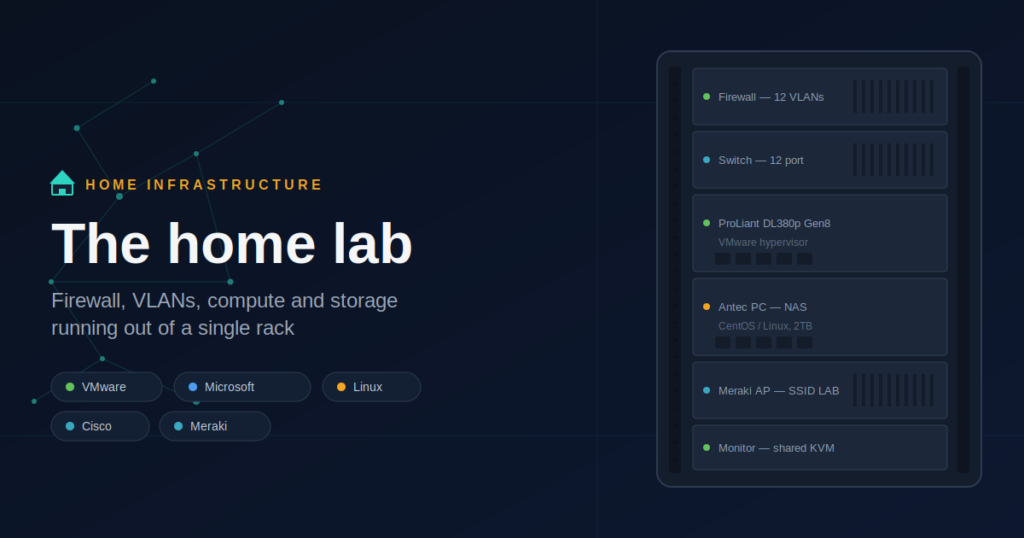
 Innocent.E
 My Offline Playground for Learning, Breaking Things, and Getting Better at IT
My home “LAB” is a small, personal technology environment where I safely experiment with infrastructure, networking, security, and systems administration — without risking production systems or paying for every minute of cloud runtime. It’s more than a stack of gear in a corner. It’s where curiosity turns into hands-on skill.
- Practice technologies I face at work — then break them down until they make sense
- Try new tools and architectures before recommending them to anyone else
- Build confidence through repetition: deploy, fail, troubleshoot, rebuild
- Keep my mind engaged — an escape from boredom that always leaves me thinking, “What should I learn or improve next?”
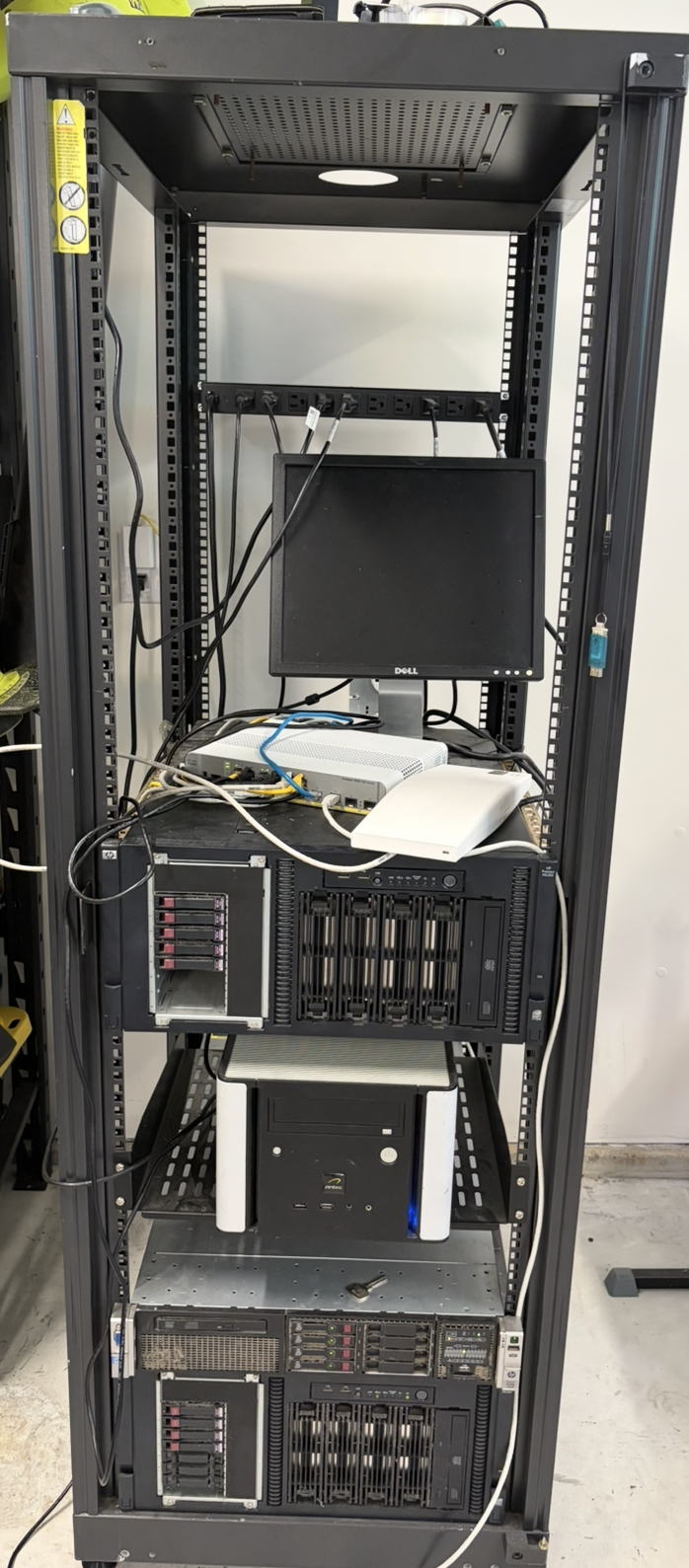
This is the heart of the lab — not just hardware, cables, switches, and servers, but a learning space built at home. The rack, the gear, the tangle of cables: this is where the hands-on work actually happens.
What a Home Lab Should Include
You can build a useful lab with almost any equipment, but the strongest labs tend to include a few key building blocks.
1) A Dedicated Server (Compute)
Your server is the engine of the lab — it runs your VMs, containers, and core services. Look for enough CPU cores to run several VMs at once, plenty of RAM (usually the first thing you’ll run out of), reliable storage, and out-of-band management like iDRAC/iLO/IPMI if you can get it. A proper server gives you a stable base to simulate real environments: domain services, web apps, monitoring stacks, SIEM tools, dev/test networks, and more.
2) Storage (Where the Lab Lives)
Storage is what turns your lab from “I can run a VM” into “I can run an environment.” Local disks in the server are simple and fast; a NAS/SAN-style box is better for shared storage, backups, and learning storage concepts. Either way, storage teaches you fundamentals you’ll see everywhere — RAID, performance tuning, iSCSI/NFS, backup strategy, snapshots, recovery planning.
3) A Hypervisor (VMware)
The hypervisor is the layer that lets one physical server act like many separate machines. Virtualization is a core enterprise skill, VMs let you build repeatable environments quickly, and you can isolate workloads, test risky changes, and roll back safely. It’s also where you learn networking (vSwitches, port groups, VLAN tagging), storage (datastores, performance, availability), and operations (templates, snapshots, patching, capacity planning) all in one place.
4) Switching (Cisco 3560 – 8 Port)
A managed switch is one of the most valuable lab upgrades you can make, because networks are where “simple” problems become real. Even an 8-port Cisco 3560 gets you VLAN creation and trunking, port security and access policies, QoS, Spanning Tree behavior, and CLI habits that translate directly to real work. Even with limited ports, a managed switch turns your lab from a flat network into a multi-segment environment you design on purpose.
5) Wireless Network + Access Point
Wireless is part of modern infrastructure, so if you’re learning networking, security, or end-user environments, Wi-Fi matters. I log into my lab by connecting to the LAB SSID, and switch to my regular Home SSID when I want to jump off. That setup alone lets you build and test separate SSIDs for trusted devices, guests, and IoT; VLAN-backed segmentation; WPA2/WPA3 and roaming behavior; and coverage/interference troubleshooting. We’ll dig into some of these in future posts.
What My Home Lab Looks Like (A Practical Reference Build)
Here’s a solid “this is what a real home lab can look like” blueprint — similar to how mine is actually built.
Core Hardware
- Server: one physical server running the core workloads
- Storage: local disks and/or a dedicated NAS-style box for backups and shared data
- Switch: Cisco 3560 8-port managed switch as the wired backbone
- Wireless: one access point providing multiple SSIDs, mapped to VLANs where possible
Core Platform Layer
- Hypervisor: VMware as the virtualization foundation
- Virtual networking: VLANs for separation (Management, Servers, Lab, Guest Wi-Fi)
- Identity / DNS / DHCP: a small VM providing core services (optional but common)
Common Workloads to Run
- Directory services for learning authentication and policy
- Monitoring for visibility, metrics, and alerts
- Logging/SIEM tools for detection and troubleshooting
- Firewall/router VM or appliance for segmentation and rules
- Dev/test services — web servers, APIs, databases
- Backup system, because recovery skills matter as much as deployment skills
Why I Prefer Physical Equipment Over the Cloud
Cloud platforms are powerful, but physical lab gear teaches lessons you can’t fully appreciate when everything is abstracted away.
1) I Pay Only for Electricity
With a home lab, costs are predictable: a one-time hardware cost (often refurbished or second-hand) and ongoing electricity. No surprise cloud bills, no per-hour compute anxiety, and no “I forgot to shut it down” regrets.
2) I Own the Entire Stack
Physical gear forces you to learn what’s really happening: cabling and port mapping, switching behavior and VLANs, storage layout and failure scenarios, BIOS/firmware updates, hardware bottlenecks and capacity trade-offs. That deeper understanding directly improves how you troubleshoot and design systems at work.
3) Better for Real Experimentation (Especially Networking)
In the cloud, you can learn networking concepts — but in a physical lab you can trace an issue from a wireless client to the AP to the switch to the server, see how misconfigurations manifest in the real world, and build segmentation patterns that match enterprise environments.
4) It’s an Always-Available Learning Platform
When a difficult technology shows up at work, I can reproduce it at home any time, without worrying about rebuilding or tearing down an environment afterward. I build a simplified version, break it on purpose, fix it step by step, and document what I learned. That process turns “confusing” into “understood.”
The Best Part: A Home Lab Keeps You Thinking
A home lab is a productive escape. It keeps your brain engaged and constantly learning: when I’m bored, I build; when I’m stuck, I test; when I don’t understand something, I recreate it. Every time I solve a problem in the lab, I’m turning complicated knowledge into something I can explain — and apply — later. Here’s roughly how mine is wired together:

Final Thoughts
A home lab doesn’t need to be huge. It just needs to be intentional. Start with what you have, add a managed switch when you can, learn virtualization properly, and keep building small experiments that mirror real problems — we’ll go deeper on several of these in future posts.
Because in the end, a home lab isn’t just equipment — it’s a habit: learn, test, break, fix, repeat.